
Raindrop's Nook

PROFESSIONAL LANDLORD SERIES · FLAGSHIP SYSTEM

UK Property Investor Portfolio Management System — 2027

Your property portfolio, one organised system: a 77-page printable planner and an 18-worksheet Excel portfolio system, supplied with an Example Portfolio and a Clean version to make your own.
Digital product — nothing is posted. Secure checkout with Stripe; the price is shown at checkout.
Cover of the UK Property Investor Portfolio Management System, 2027 edition, from the Professional Landlord Series

77-PAGE PLANNER

A printable PDF with clickable contents.

18 EXCEL WORKSHEETS

Integrated worksheets with an automated Dashboard.

EXAMPLE + CLEAN

Learn from a worked portfolio, then add your own.

UK-FOCUSED

Designed for UK residential property investors.

THE PROBLEM

Scattered Information Makes a Portfolio Harder to See.

Property details often end up spread across spreadsheets, folders, emails and notebooks. That makes it harder to see rent, mortgages, compliance dates and how the portfolio is performing as a whole.

THE SOLUTION

One Structured System for the Whole Year.

This system brings properties, tenancies, rent, expenses, mortgages, refinancing, deal analysis and portfolio performance together in one organised annual workflow, in a printable planner and an Excel system that work side by side.

WHAT'S INCLUDED

Four Digital Files. One Complete System.

1

Start Here Guide (PDF)

  • Step-by-step setup guide
  • How the system works
  • Key worksheets explained
  • Tips for getting started

2

77-Page Printable Planner (PDF)

  • Comprehensive annual planner with clickable contents
  • Annual and quarterly planning
  • Property and tenancy records
  • Compliance checklists

3

Example Portfolio (Excel)

  • Fully worked example with three example properties
  • Populated data and formulas
  • Explore the Dashboard
  • See how information connects

4

Clean Portfolio System (Excel)

  • No sample data — ready for your own properties
  • 18 integrated worksheets
  • Automated Dashboard
  • Track, analyse and manage your portfolio

THE EXCEL DASHBOARD

Your Portfolio at a Glance.

The Dashboard calculates from your other sheets to show what is happening across your portfolio: properties, total value, mortgage debt, equity and LTV; rent roll, yields and cash flow; occupancy, rent collected and arrears; compliance due and overdue, upcoming refinances and open actions.
A data-quality panel also flags out-of-date valuations, rents and mortgage balances, and an ownership breakdown keeps personal and company holdings separate.
It updates from the information you record in the other worksheets, so the overview stays connected to your records.

THE EXCEL SYSTEM

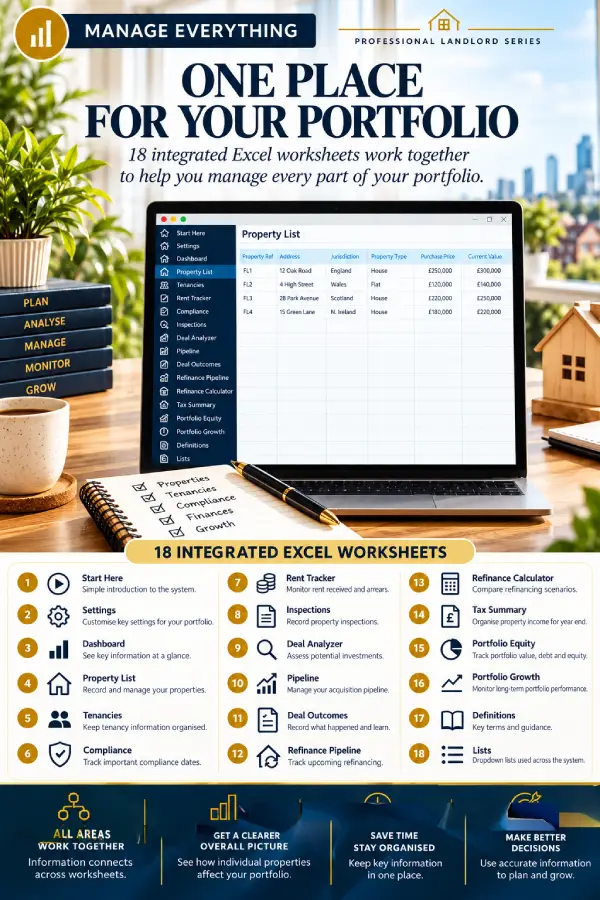
18 Integrated Worksheets. One Place for Your Portfolio.

The worksheets work together, so information connects across the workbook. Record a property once on the Property List, then track its tenancies, rent, compliance, inspections, finance and performance in the same system.
The 18 worksheets: Start Here, Settings, Dashboard, Property List, Tenancies, Rent Tracker, Compliance, Inspections, Deal Analyzer, Pipeline, Deal Outcomes, Refinance Pipeline, Refinance Calculator, Tax Summary, Portfolio Equity, Portfolio Growth, Definitions and Lists.
  • All areas work together
  • A clearer overall picture of how individual properties affect your portfolio
  • Key information kept in one place

THE DEAL ANALYZER

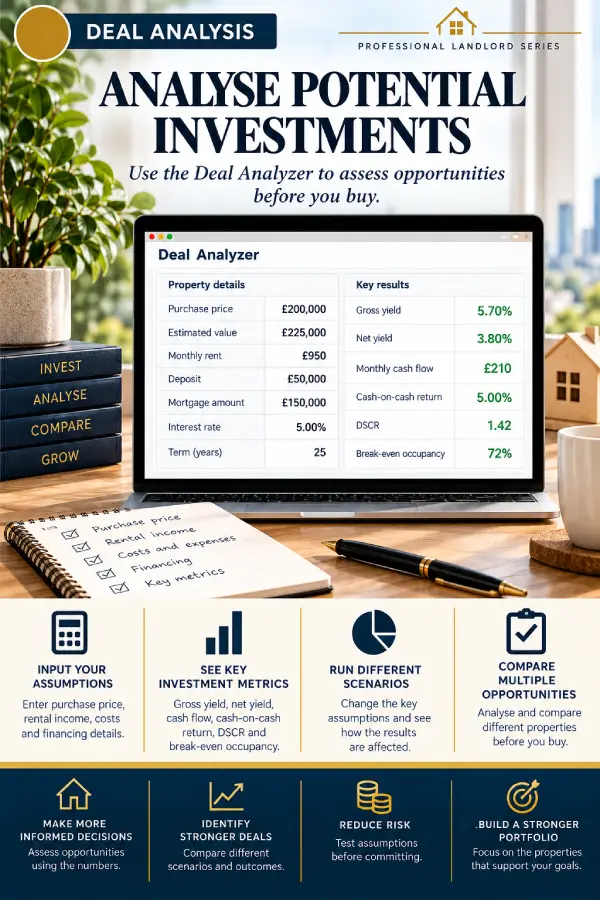
Analyse Potential Investments Before You Buy.

Use the Deal Analyzer to assess potential investments: enter your own assumptions and review key investment metrics for each opportunity. The Pipeline sheet helps you manage the deals you are considering, and Deal Outcomes lets you record what happened and what you learned.
The Deal Analyzer helps you organise and model your own figures. It is not investment advice.

THE PRINTABLE PLANNER

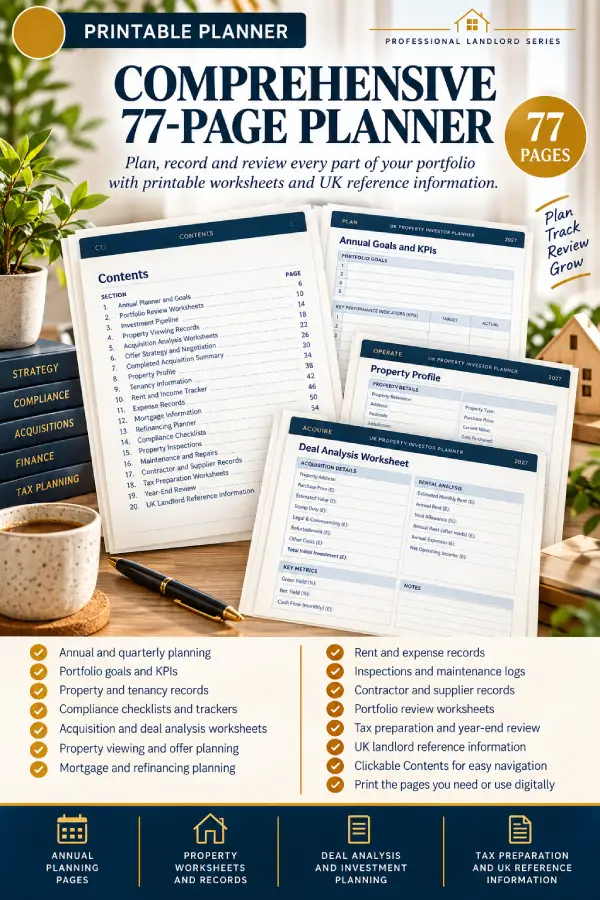
A Comprehensive 77-Page Printable Planner.

Plan, record and review every part of your portfolio on paper, with clickable contents to help you move around the PDF.
  • Annual and quarterly planning
  • Property and tenancy records
  • Compliance checklists
  • Deal analysis worksheets
  • Tax preparation and year-end review pages
  • UK landlord reference information

HOW IT WORKS

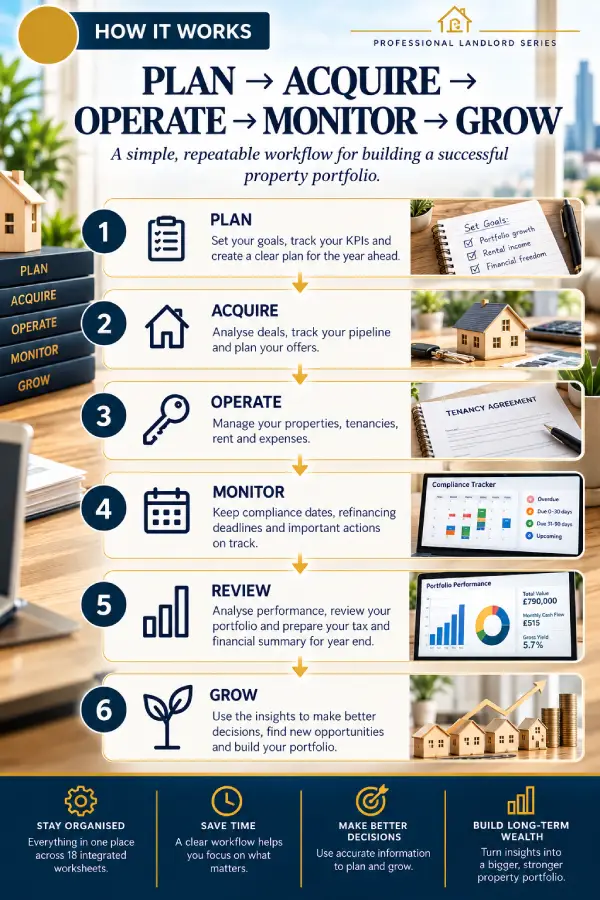
A Simple, Repeatable Workflow.

PLAN → ACQUIRE → OPERATE → MONITOR → REVIEW → GROW

1

PLAN

Set your goals and plan the year ahead.

2

ACQUIRE

Assess opportunities and track your pipeline.

3

OPERATE

Manage properties, tenancies and rent.

4

MONITOR

Keep track of compliance, mortgages and performance.

5

REVIEW

Review the year and how the portfolio has performed.

6

GROW

Use what you have learned to plan what comes next.

EXAMPLE + CLEAN VERSIONS

See How It Works, Then Add Your Own Data.

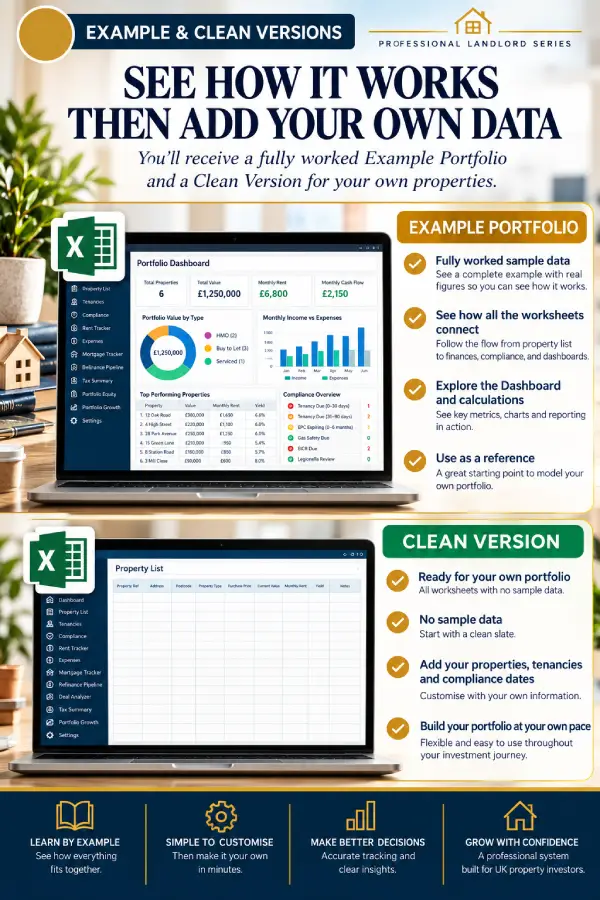
You receive a fully worked Example Portfolio to explore, and a Clean version to fill with your own properties.

EXAMPLE PORTFOLIO (EXCEL)

  • A fully worked example with three example properties
  • Populated data and formulas
  • Explore the Dashboard
  • See how information connects
  • Use it as a learning reference

CLEAN PORTFOLIO SYSTEM (EXCEL)

  • No sample data
  • Add your own properties
  • 18 integrated worksheets
  • Automated Dashboard
  • Track, analyse and manage your portfolio

UK FOCUS

Designed for UK Residential Property.

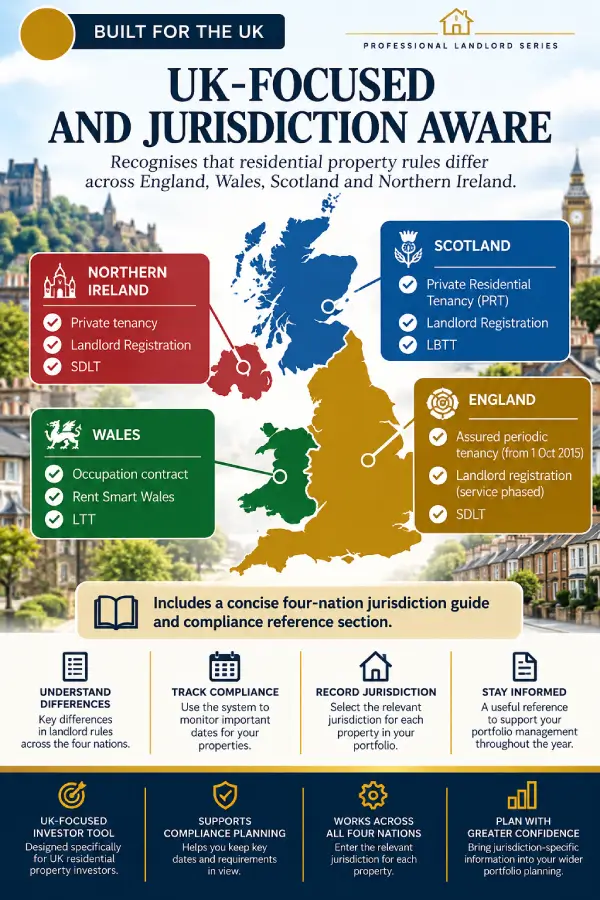
The system is built around UK residential property investing. Each property record includes a jurisdiction, covering England, Wales, Scotland and Northern Ireland, and the planner includes UK landlord reference information.
Rules and requirements differ across the UK and change over time, so always check the current requirements that apply to your property.

WHO IS THIS FOR?

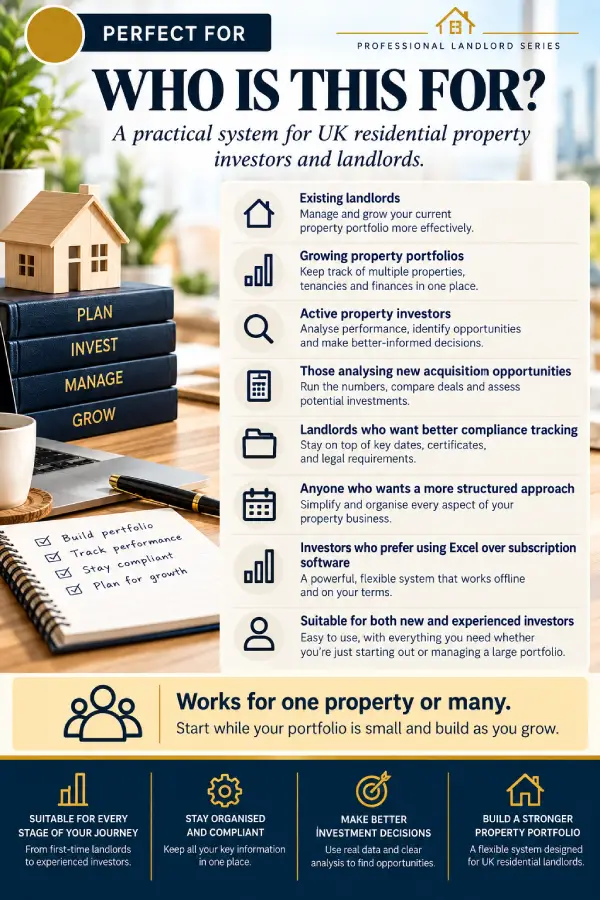
Works for One Property or Many.

  • Landlords who want their records in one organised place
  • Investors building or managing a UK residential portfolio
  • Anyone assessing potential acquisitions
  • Anyone who prefers a structured system to scattered notes and spreadsheets
Start with one property and build the system as your portfolio grows.

GET THE SYSTEM

Bring Your Portfolio Into One System.

UK Property Investor Portfolio Management System — 2027
Start Here Guide (PDF) · 77-Page Printable Planner (PDF) · Example Portfolio (Excel) · Clean Portfolio System (Excel)
Digital product — nothing is posted. Secure checkout with Stripe; the price is shown at checkout. Your files are sent to the email address you use.

QUESTIONS

Portfolio Management System FAQ

Four digital files: a Start Here Guide (PDF), a 77-page Printable Planner (PDF), an Example Portfolio (Excel) and a Clean Portfolio System (Excel).

Yes. The Excel files are designed for Microsoft Excel 2019, Excel 2021, Excel 2024 and Microsoft 365. Functionality in older Excel versions or other spreadsheet applications (for example Google Sheets or LibreOffice) may vary. The PDFs open in any PDF reader.

Yes. The system works for one property or many, so you can start small and build as your portfolio grows.

It is designed for UK residential property, with a jurisdiction recorded for each property in England, Wales, Scotland or Northern Ireland. Rules differ across the UK, so check the current requirements for your property.

No. The system helps you organise information and dates, but it does not guarantee legal compliance. Please take professional advice where needed.

No. The Deal Analyzer, Tax Summary and other worksheets help you organise and model your own figures. They are not investment, tax or legal advice, and the workbook is not Making Tax Digital or tax-filing software.

Once your purchase is complete, all four files are emailed to the address you use at checkout, each personalised with “Registered to” and your name.

You may print and photocopy the blank worksheets in the planner, and reuse the Excel Portfolio System, for your own personal or business record-keeping. Resale, redistribution or public sharing of the files, in whole or in part, is not permitted. Each file is registered to the buyer.

Because these are digital files, they are generally non-refundable. If something is not working as described, please contact us and we will put it right.

These resources are organisational tools. They do not guarantee legal compliance, investment returns or any particular outcome, and are not legal, tax, financial or investment advice.
Scroll to Top